On this page
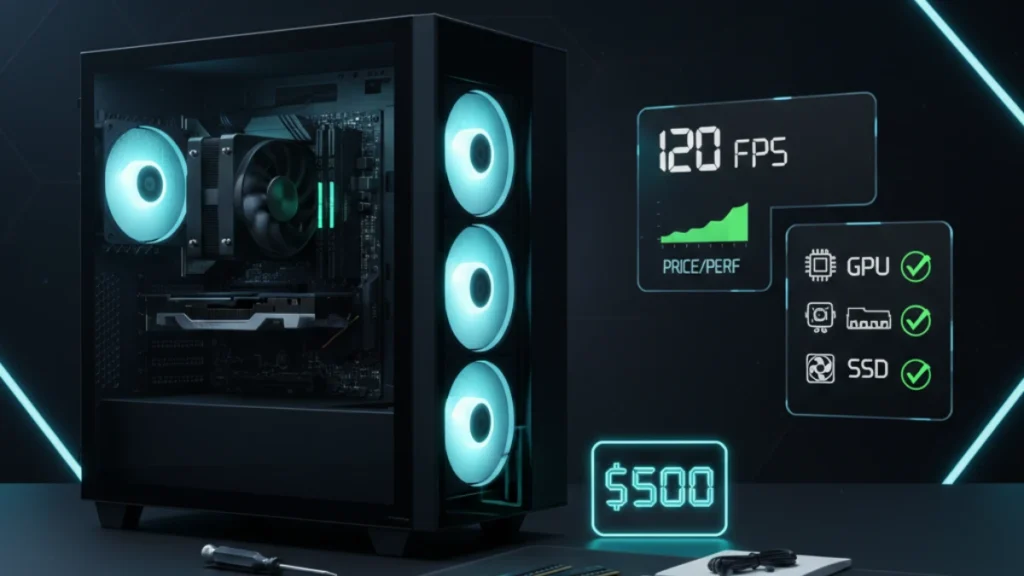
Building a capable gaming PC for $500 sounds impossible when you see prices on flagship hardware. But here’s what most people don’t realize, you don’t need a $2,000 system to enjoy modern games at playable settings. I’ve built dozens of budget systems for friends and family members who wanted to get into PC gaming without breaking the bank, and the sweet spot for entry-level builds has actually gotten better over the past year.
This guide walks through a complete $500 gaming PC build that handles 1080p gaming surprisingly well. We’re talking 60+ FPS in most titles, with headroom for esports games to push much higher. Not everyone needs 4K ray tracing, and building smart at this budget teaches you more about PC components than throwing money at premium parts ever would.
Understanding the $500 budget reality
At this price point, every dollar matters. You’re making strategic compromises, but they’re compromises that preserve gaming performance while cutting costs elsewhere.
The $500 budget breaks down roughly like this: GPU gets the largest allocation (around $150-180), followed by CPU ($100-130), then motherboard, RAM, storage, case, and power supply splitting the remainder. This allocation prioritizes the components that directly impact gaming performance.
What you’re sacrificing at this budget: aesthetics (no RGB everything), premium build quality, upgrade headroom on the motherboard, and raw horsepower for demanding titles at max settings. What you’re keeping: smooth 1080p gaming, modern platform features, and a foundation that works for years with smart upgrades later.
The used market becomes your friend at this budget. A generation-old GPU bought used often delivers better performance-per-dollar than new budget cards. I’ve found excellent deals on last-gen hardware from gamers upgrading to newer systems, their old parts become your entry point.
Recommended components for 2026
These recommendations balance price, performance, and availability based on current market conditions.
CPU: AMD Ryzen 5 5600 or Intel Core i3-12100F (~$100-120)
Both processors deliver excellent gaming performance at budget prices. The Ryzen 5 5600 offers six cores for better multitasking and longevity. The i3-12100F costs less while matching gaming performance in most titles. Either choice avoids CPU bottlenecking mid-range GPUs.
I lean toward the Ryzen for budget builds because AM4 motherboards are cheap and plentiful. The platform is mature, stable, and well-understood, fewer compatibility surprises.
GPU: Used RX 6600 or RTX 3060 (~$150-180)
The graphics card makes or breaks budget builds. New budget GPUs often disappoint at this price range, but the used market offers last-generation mid-range cards that destroy current entry-level options.
An RX 6600 handles 1080p gaming beautifully, I’ve tested one extensively and it maintains 60+ FPS in demanding titles while crushing esports games at 144+ FPS. The RTX 3060 offers similar performance with DLSS support for future titles. Both represent exceptional value on the used market.
Motherboard: B450 or B550 (~$60-80)
Budget motherboards get the job done without fancy features. A basic B450 or B550 board provides stable power delivery for non-overclocking CPUs, sufficient connectivity, and reliable operation. Skip the premium features, at this budget, they’re unnecessary expenses.
RAM: 16GB DDR4-3200 (~$40-50)
16GB has become the minimum for comfortable gaming. DDR4-3200 hits the sweet spot for price and performance on budget platforms. Don’t overspend on RAM speed at this budget, the performance difference is minimal compared to putting that money toward a better GPU.
Storage: 500GB NVMe SSD (~$35-45)
Fast storage transformed budget builds. A 500GB NVMe SSD provides snappy Windows performance and holds several large games. You can add more storage later, starting with fast primary storage matters more than capacity at this point.
Case and PSU: Basic but functional (~$80-100 combined)
A simple case with decent airflow and a reliable 500-550W power supply complete the build. Don’t cheap out on the PSU, a failed power supply can damage other components. Stick with recognized brands even at budget prices.
Assembly tips for first-time builders
Building your first PC feels intimidating but the process is surprisingly straightforward. Modern components are designed for easy installation, if it doesn’t fit easily, something’s wrong.
Start with the motherboard outside the case. Install CPU, cooler, and RAM before mounting the board. This gives you space to work and clear visibility for seating components properly. The CPU installation looks scary but modern sockets are nearly foolproof, align the triangle markers and the chip drops in without force.
Cable management matters less than people claim for performance, but a tidy build is easier to troubleshoot and upgrade later. Route cables behind the motherboard tray when possible, and don’t stress about perfection on your first build.
Test the system before installing everything in the case. Connect essentials: CPU, one RAM stick, GPU, power, and verify POST before committing to full assembly. Discovering a problem with components spread across your desk beats diagnosing issues inside a cramped case.
Expected gaming performance
This $500 build delivers legitimate gaming performance that surprises people expecting budget hardware to struggle.
Esports titles (Valorant, CS2, Fortnite, League of Legends): 144+ FPS easily achievable, often much higher. These games run beautifully on modest hardware, and this build handles them without breaking a sweat.
Popular multiplayer (Apex Legends, Warzone, Overwatch 2): 80-100+ FPS at medium-high settings. Playable and competitive performance with room for settings adjustment based on preferences.
AAA single-player (Cyberpunk, Starfield, Hogwarts Legacy): 45-60 FPS at medium settings, higher with upscaling technologies. Not maxed-out eye candy, but genuinely enjoyable experiences.
Older titles (2020 and earlier): High settings, smooth framerates. This hardware exceeds what many games were designed for.
The key insight: 1080p medium settings in 2026 still looks great. The difference between medium and ultra settings is often subtle while the performance cost is substantial.
Upgrade path and future considerations
Smart budget builds consider where you’re going, not just where you’re starting.
This platform supports meaningful upgrades. The GPU slot accepts any modern graphics card, when you’re ready for more performance, drop in a better GPU and enjoy immediate improvement. The AM4 platform supports Ryzen 5000 series processors if you ever want more CPU power.
RAM expansion is simple, add another 16GB kit when games start demanding more memory. Storage expansion just requires plugging in additional drives. The upgrade path stays open without requiring platform replacement.
Plan for a GPU upgrade in 2-3 years as your primary performance investment. By then, current mid-range cards will be budget-priced on the used market, and your $150 investment delivers another generation of smooth gaming.
For a comprehensive overview of PC building at every price point, see the complete guide to building a gaming PC.
Disclosure: Some links in this post are affiliate links. If you make a purchase through these links, RigPod may earn a commission at no additional cost to you. See our Affiliate Disclosure for more information.