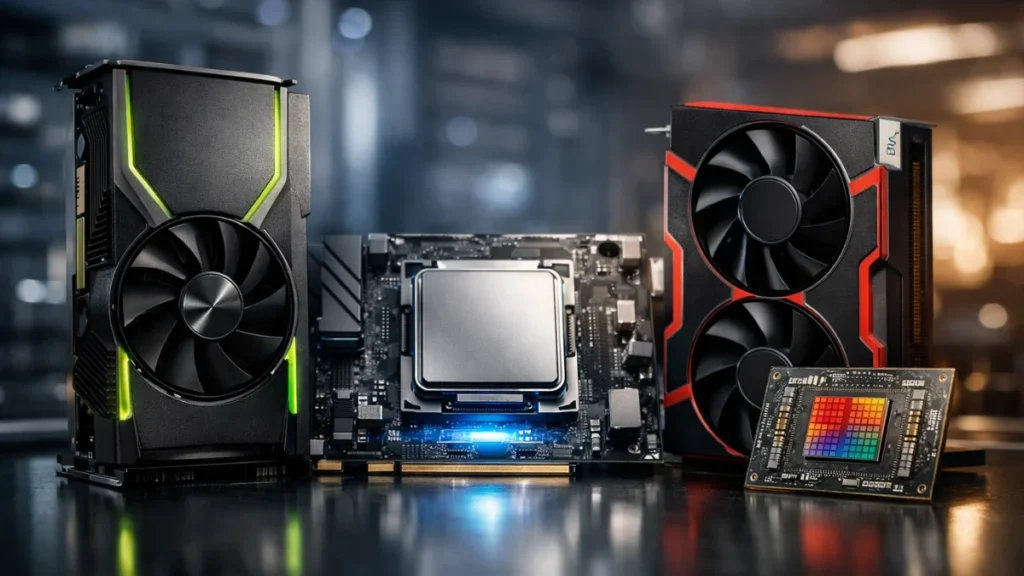
Three years ago, streaming meant sacrificing a significant chunk of your CPU to video encoding. Competitive gamers faced an impossible choice: accept lower framerates while live or buy a second PC dedicated to encoding. Hardware encoders changed everything, and understanding the differences between NVIDIA’s NVENC, Intel’s QuickSync, and AMD’s VCE can make or break your streaming quality.
I’ve tested all three extensively across multiple system configurations, pushing each encoder to find where quality breaks down and performance suffers. The results surprised me in several ways, and the “best” choice depends heavily on what hardware you’re already running. Before diving into encoder comparisons, make sure your streaming software is properly configured. The OBS Studio complete setup guide covers the fundamentals if you’re just getting started.
What hardware encoding actually does
Traditional software encoding (x264) uses your CPU to compress video in real-time. This process is computationally expensive. Streaming 1080p60 with decent quality through x264 can consume 30-50% of a mid-range CPU’s processing power. That’s processing power stolen directly from your games.
Hardware encoders offload this work to dedicated silicon built into your graphics card or integrated graphics. Your GPU or iGPU handles the video compression through specialized circuits designed specifically for encoding, leaving your CPU free to run your game at maximum performance.
The tradeoff historically was quality. Early hardware encoders produced noticeably worse image quality than properly configured x264. That gap has narrowed dramatically over the past few generations, to the point where most viewers can’t distinguish between them at typical streaming bitrates.
NVIDIA’s NVENC encoder has dominated streaming discussions since the Turing generation (RTX 20-series) introduced a completely redesigned encoding block. If you’re running an RTX graphics card, you have access to what I consider the best hardware encoder available today.
I’ve been streaming with NVENC on my RTX 4070 Ti for the past eight months. At 6000 Kbps targeting 1080p60, Twitch’s standard bitrate cap, the quality rivals x264 medium preset while using essentially zero CPU resources. The encoder runs on dedicated hardware separate from the CUDA cores your games use, so there’s no performance impact on gaming whatsoever.
Testing across my systems, NVENC on RTX 40-series cards produces cleaner motion handling and better detail preservation in fast-paced scenes than previous generations. The improvement from my old RTX 2070 to the 4070 Ti was immediately visible in recorded footage, particularly during chaotic moments in Apex Legends where particle effects and quick camera movements previously created blocking artifacts.
RTX 40 series and AV1: One major advancement worth highlighting. RTX 40 series cards include a dedicated AV1 hardware encoder alongside the traditional H.264 NVENC. AV1 delivers noticeably better quality at identical bitrates, and with Twitch and YouTube now fully supporting AV1 streaming, it’s worth considering if you have compatible hardware. My AV1 test streams at 6000 Kbps looked cleaner than H.264 at the same bitrate, particularly in high-motion scenes.
NVENC settings in OBS deserve attention. The “Max Quality” preset sounds appealing but provides minimal improvement over “Quality” preset while slightly increasing encoding latency. I run Quality preset with Look-ahead enabled, Psycho Visual Tuning on, and Max B-frames set to 2. This configuration balances quality with the low latency streaming demands.
One limitation worth noting: NVENC quality scales with your GPU generation. An RTX 3060 produces better results than a GTX 1660, which beats a GTX 1050 Ti. If you’re running older NVIDIA hardware (GTX 900 series or earlier), NVENC exists but the quality gap compared to modern cards is substantial.
Intel QuickSync: the underrated option
QuickSync flies under the radar because it lives in Intel’s integrated graphics, and most gamers disable their iGPU entirely. That’s a mistake if you’re streaming.
Intel’s encoding block has improved dramatically with recent generations. 12th, 13th, and 14th gen Intel processors with UHD 770 integrated graphics produce QuickSync quality that genuinely competes with NVENC. Intel’s newer Core Ultra processors feature improved media engines that perform even better, though the difference is subtle at typical streaming bitrates. I tested QuickSync on a friend’s i5-13600K build last month, and at 6000 Kbps the output looked nearly identical to my NVENC stream.
The beauty of QuickSync for Intel CPU users is complete separation from your gaming hardware. Your discrete GPU handles gaming at full performance while the integrated graphics, which you weren’t using anyway, handles encoding. It’s essentially free encoding hardware built into your processor.
Enabling QuickSync requires your integrated graphics to be active in BIOS, even with a discrete GPU installed. This trips up many users who disabled their iGPU for perceived performance benefits. Go into BIOS, find the integrated graphics settings (usually under something like “IGD Multi-Monitor” or “iGPU Multi-Monitor”), and enable it. You don’t need a monitor connected to it; the encoder just needs the hardware active.
In OBS, QuickSync appears as “QuickSync H.264” in the encoder dropdown once properly enabled. Target usage should be set to “Quality” for streaming, with the ICQ rate control mode at a value around 23-25 producing good results. Alternatively, CBR at your target bitrate works fine for Twitch streaming. If you’re new to OBS encoder settings, the OBS Studio setup guide walks through the Output tab configuration.
QuickSync’s weakness shows at lower bitrates. Below 4500 Kbps, I noticed more blocking artifacts compared to NVENC at equivalent settings. If you’re bandwidth-limited and streaming at 720p with 3500 Kbps, NVENC handles the compression more gracefully.
AMD VCE and AMF: the improving contender
AMD’s hardware encoder has a complicated naming history. VCE (Video Coding Engine) evolved into AMF (Advanced Media Framework), and the underlying hardware has been called various things across GPU generations. For simplicity, I’ll refer to it as AMD’s hardware encoder.
The honest assessment: AMD’s encoder has historically lagged behind NVENC in quality. I don’t say this to start brand wars. I’ve owned AMD cards and genuinely like their gaming performance. But side-by-side comparisons through the RX 5000 series showed noticeable quality differences at streaming bitrates.
The RX 6000 and 7000 series narrowed this gap considerably. Testing an RX 7800 XT last fall, I found AMD’s encoder producing respectable results at 6000 Kbps. Not quite NVENC quality in motion-heavy scenes, but close enough that casual viewers wouldn’t notice. The difference only becomes apparent when pixel-peeping recordings at reduced playback speed.
AMD users should select “AMD HW H.264 (AVC)” in OBS rather than the older “AMD AMF H.264” option if both appear. Use CBR rate control for streaming, set your bitrate appropriately, and choose the “Quality” preset. Enable Pre-analysis and VBAQ (Variance Based Adaptive Quantization) for better quality at the cost of slightly increased latency.
AMD’s AV1 advantage: RX 7000 series cards include hardware AV1 encoding, and this is where AMD closes the gap with NVIDIA significantly. AV1 delivers better quality at lower bitrates than H.264, and both Twitch and YouTube now fully support AV1 streaming. In my AV1 testing, AMD and NVIDIA produce much closer results than their H.264 implementations. Both RTX 40 series and RX 7000 series deliver excellent AV1 streams. If you’re streaming to a platform that supports AV1, it’s worth considering regardless of GPU brand.
Direct quality comparison
I ran identical test streams through all three encoders using the same game footage, bitrate (6000 Kbps), and resolution (1080p60). The test content included Cyberpunk 2077 driving scenes (complex motion, high detail), Valorant gameplay (fast camera movement, simpler textures), and a Twitch Just Chatting style setup (minimal motion, fine text).
NVENC H.264 (RTX 4070 Ti) produced the cleanest results across all three scenarios. Motion handling during the Cyberpunk driving test showed minimal blocking, and fine details like text remained sharp throughout. This is my baseline for quality comparisons.
NVENC AV1 (RTX 4070 Ti) outperformed H.264 at the same bitrate, with noticeably cleaner motion in the Cyberpunk test and better detail preservation during fast Valorant flicks. If your viewers’ devices support AV1 playback (most modern browsers and devices do), this is the new quality king.
QuickSync (i5-13600K) performed within 90-95% of NVENC H.264 quality in my subjective assessment. The Cyberpunk test showed slightly more artifacts during rapid scene changes, but Valorant footage was nearly indistinguishable. Text clarity matched NVENC perfectly.
AMD VCE H.264 (RX 7800 XT) landed around 85-90% of NVENC H.264 quality. The Cyberpunk test revealed the biggest differences, with more visible blocking during high-motion scenes. Valorant looked good, and static Just Chatting content was essentially identical to the others.
AMD AV1 (RX 7800 XT) jumped to roughly 95% of NVENC AV1 quality, a much smaller gap than their H.264 implementations. For AMD users, AV1 is the clear choice when platform support allows.
At typical viewing distances and stream quality, most viewers wouldn’t consciously notice these differences. They become apparent when comparing recordings side-by-side at full resolution, pausing on challenging frames.
Performance impact testing
Hardware encoder performance impact should be nearly zero, that’s the whole point. But I tested anyway to verify.
With NVENC streaming active on my RTX 4070 Ti while playing Cyberpunk 2077 at 1440p, I measured zero FPS difference compared to not streaming. The dedicated encoder truly operates independently from the gaming cores. This holds true for both H.264 and AV1 encoding.
QuickSync on the i5-13600K showed similar results: no measurable gaming performance impact since the encoding happens on completely separate silicon.
AMD’s encoder did show a very slight impact in my testing: roughly 2-3% lower average FPS during streaming compared to baseline. This makes sense given AMD’s encoder shares some resources with the graphics cores. At high framerates this is irrelevant, but pushing a budget AMD card to its limits while streaming could show minor degradation.
All three encoders dramatically outperform x264 software encoding, which cost 15-25 FPS on the same test systems depending on preset. This resource difference also matters when choosing streaming software. The Streamlabs vs OBS Studio comparison shows how software overhead compounds with encoder choice.
Which encoder should you choose
Use NVENC if: You have any NVIDIA RTX card. It’s simply the best option available for H.264, and you already own the hardware. RTX 40 series users should strongly consider NVENC AV1 for even better quality at the same bitrate, it’s a noticeable upgrade. Even GTX 16-series cards produce good H.264 results, though RTX 20-series and newer are noticeably better.
Use QuickSync if: You have a 12th gen or newer Intel CPU and an AMD graphics card, or you’re running a dual-PC streaming setup where the streaming PC uses Intel integrated graphics. It’s also worth considering if your NVIDIA card is older (GTX 900 series) and your Intel CPU is newer. Core Ultra processors offer the best QuickSync experience yet.
Use AMD VCE if: You have an AMD GPU, particularly RX 6000 series or newer. The H.264 quality is good enough for streaming, and using your existing hardware beats buying new equipment. RX 7000 series users should prioritize AV1 encoding when possible, it’s where AMD truly competes with NVIDIA quality.
Consider x264 if: You have a very powerful CPU (Ryzen 9 or Intel i9) with cores to spare, you’re streaming less demanding games, and you want absolute maximum quality. Some professional streamers still use x264 slow preset on high-end systems.
H.264 vs AV1: which codec to use
With AV1 now fully supported on major streaming platforms, the choice between codecs matters:
Choose H.264 if:
- Your GPU doesn’t support AV1 encoding (pre-RTX 40 NVIDIA, pre-RX 7000 AMD)
- You need maximum compatibility with older viewing devices
- You’re streaming to platforms that don’t yet support AV1
Choose AV1 if:
- You have RTX 40 series or RX 7000 series hardware
- You’re streaming to Twitch or YouTube (both fully support AV1)
- You want better quality at the same bitrate
- Your audience primarily watches on modern devices/browsers
The quality improvement from AV1 is roughly equivalent to a 20-30% bitrate increase in H.264. At 6000 Kbps, AV1 looks like H.264 would at 7500-8000 Kbps.
Practical configuration tips
Regardless of which encoder you choose, some universal settings apply:
Set your keyframe interval to 2 seconds for streaming platforms. Both Twitch and YouTube expect this value, and incorrect keyframe settings cause buffering issues for viewers.
Use CBR (Constant Bitrate) for live streaming. VBR and CQP modes work great for recording but can cause issues with streaming platform ingest servers.
Match your output resolution and bitrate appropriately. 1080p60 needs 6000 Kbps minimum for acceptable quality with H.264 (AV1 can get away with slightly less). Dropping to 720p60 lets you reduce to 4500 Kbps while maintaining good clarity. Streaming 1080p60 at 3000 Kbps produces a muddy mess regardless of encoder choice.
Your encoder selection matters less than proper configuration. A well-configured AMD encoder outperforms poorly configured NVENC every time. Take time to understand and optimize whichever option your hardware supports.
Final thoughts
Hardware encoding has leveled the playing field for streamers. You no longer need a dedicated streaming PC or a $600 CPU to broadcast quality content. Whether you’re running NVIDIA, Intel, or AMD hardware, a capable encoder is already built into your system.
The rise of AV1 support has made 2024-2025 an exciting time for streaming quality. If you have recent hardware, you’re getting better quality than was possible just two years ago at the same bitrates. Test both H.264 and AV1 on your setup, the results might surprise you.
The encoder is just one piece of your streaming setup. For complete configuration including audio mixing, scene management, and platform optimization, see the comprehensive streaming setup and optimization guide.